
301→302301→302
A temporary redirect where a permanent one belongs.
Found by Redirect checker →
A temporary redirect where a permanent one belongs.
Found by Redirect checker →
redirect loopredirect loop
The URL redirects back to itself and never settles.
Found by Redirect checker →
The URL redirects back to itself and never settles.
Found by Redirect checker →
Data sources
Yandex Webmaster integration
Read Yandex Webmaster query data per URL and keep it next to the crawl.
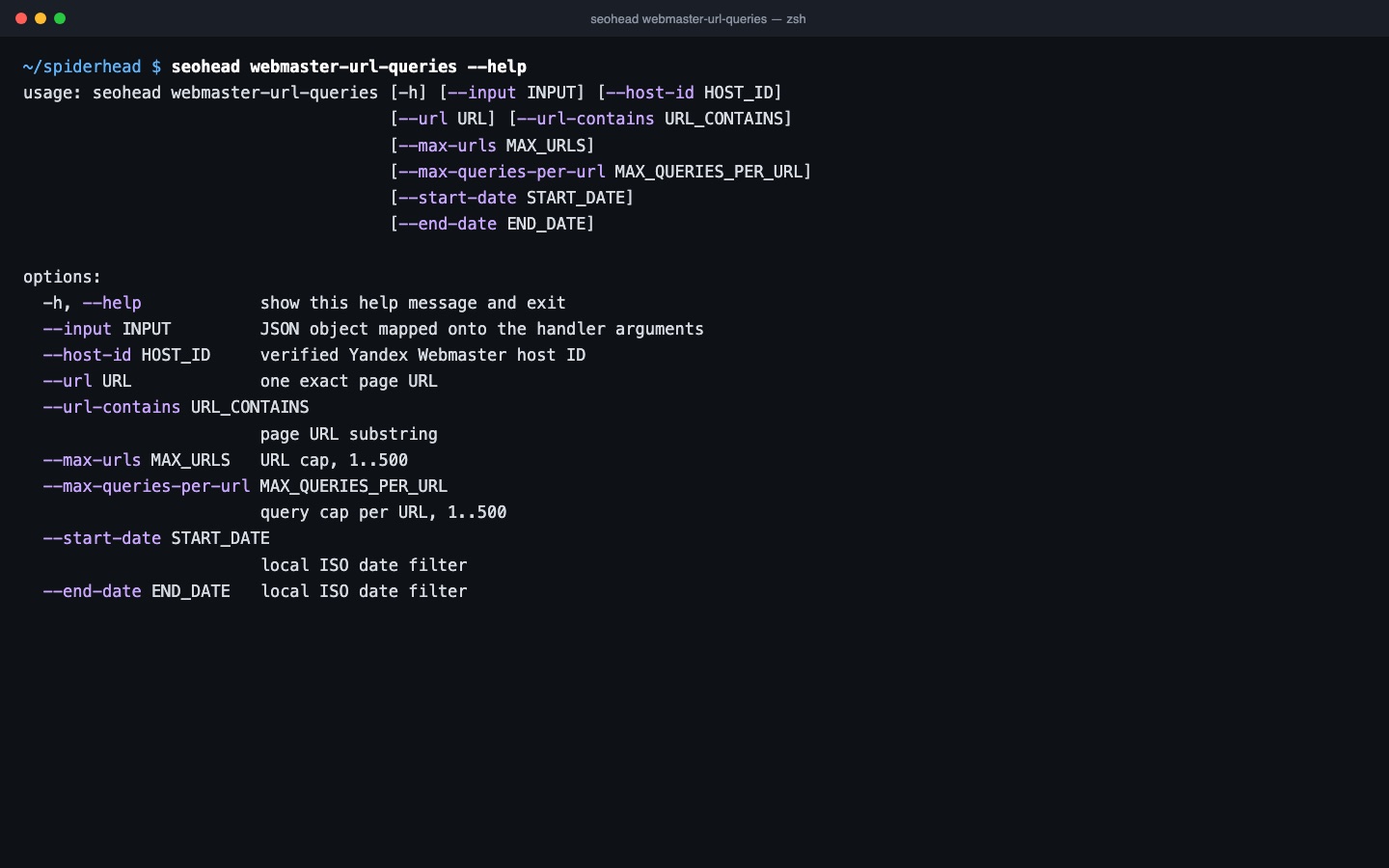
Yandex Webmaster integration
Queries per URL
webmaster-url-queries returns search queries for a page.
How it works
Three steps, one saved scan
Point it at a verified host
The command needs a Yandex Webmaster host ID for a site you have verified, plus the OAuth token configured locally. Without the host ID it does not run.
Pull queries for a URL
Ask for one exact page with --url, or a group with --url-contains. Caps are explicit: --max-urls and --max-queries-per-url, with optional --start-date and --end-date.
Join the rows to your crawl
Keep URL and query rows separate. The evidence-join step attaches URL-keyed rows to a crawl and lists orphan candidates for review without changing the crawl.
How to run it
One command
bash
seohead webmaster-url-queries --url https://example.com/Install first: installation guide. Every command also runs as an MCP tool for AI agents.
FAQ