
SpiderHead — SEO crawler and audit toolkit
Crawl a site, keep every scan, find and prioritise issues, hand tasks to developers, recheck the fixes and report. On your own machine: in a desktop app, in the terminal or through an AI agent over MCP.
Tap to open full size
One core, three faces
The desktop app, the CLI and the MCP server call the same handlers: a crawl started by an agent shows up in the window, and the other way round.
Desktop app
A native window for macOS, Windows and Linux: issues, URL table, link graph, projects and tools with ready-made forms.macOS, Windows and Linux.
Desktop appCLI
Scripts, CI and terminal work. Every command writes evidence you can reopen, export and reanalyse.
seohead crawl-site --url ...MCP server
A local stdio server for Claude and other agent clients. The agent crawls, audits and hands over tasks with the same evidence.For Claude and other agent clients.
MCP server for SEOFrom the first crawl to the recheck
Real screens of the app. Click any picture to see it full size.
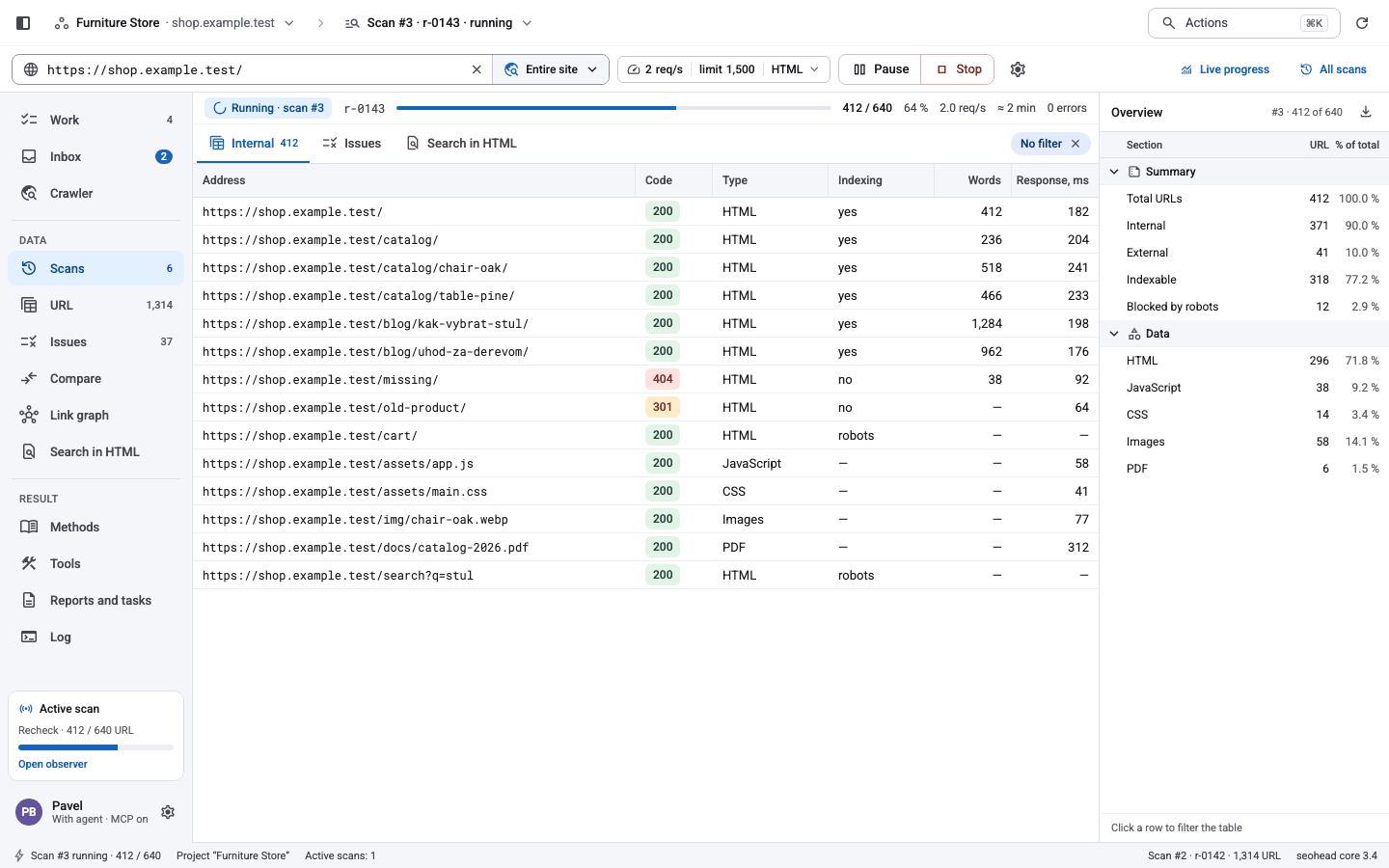
Start from one URL, watch the crawl
Enter a URL and press Start. Live progress, the URL table filling up and the scan overview — no project needed until you want to keep it.
- Polite by defaultAbout two requests per second per host, read-only.
- ResumableAn interrupted crawl continues where it stopped.
- HTTP or renderedChromium only when a page needs JavaScript.
Issues with evidence, not guesses
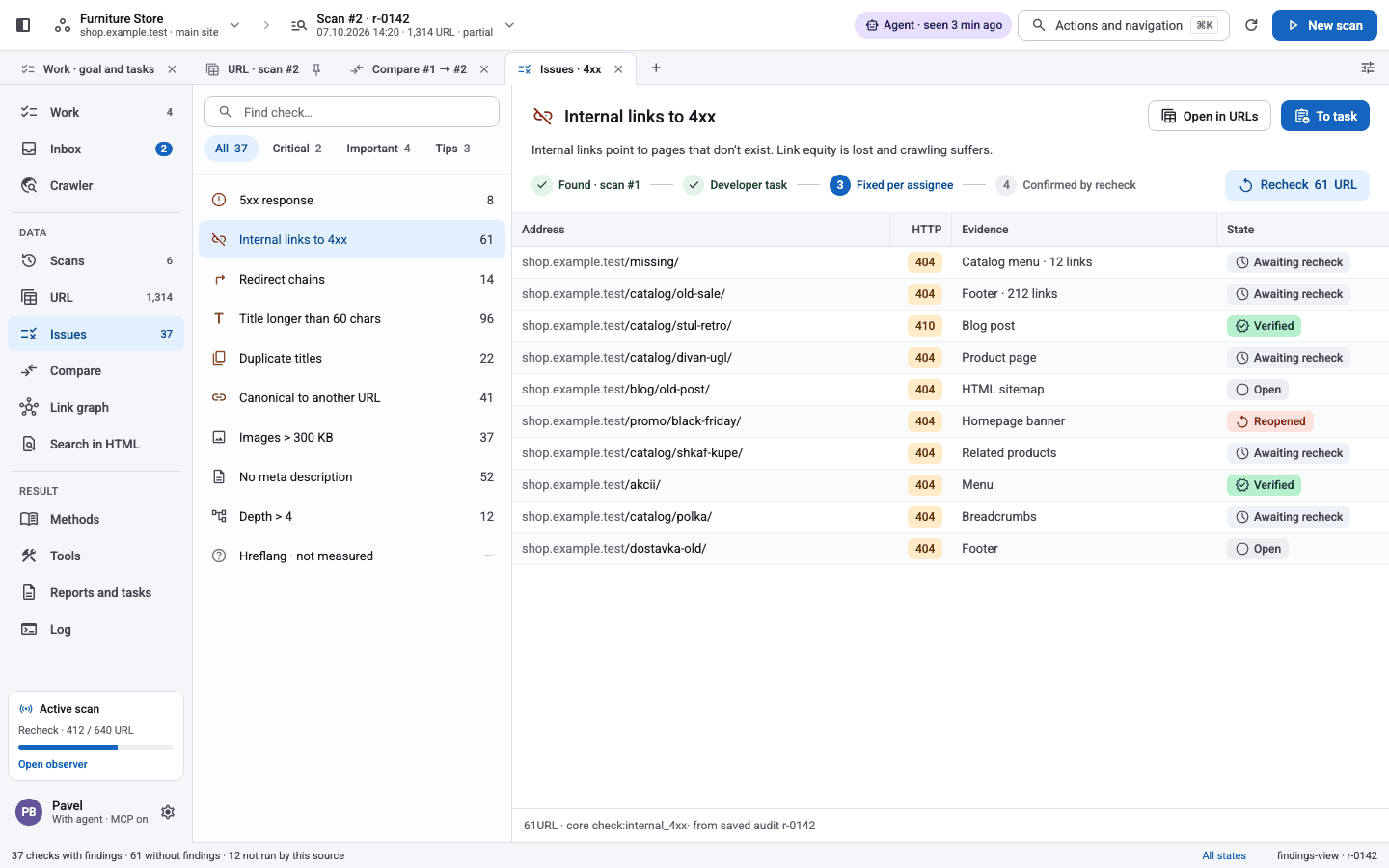
182 checks over the same evidence. Each finding lists affected URLs, where the problem sits on the page and its recheck status.
- PrioritisedCritical, important and tips, with counts per check.
- Never a false cleanFinding, ran clean, skipped or failed — always stated.
- One click to a taskSend a finding to the developer backlog.
Every URL, every detail
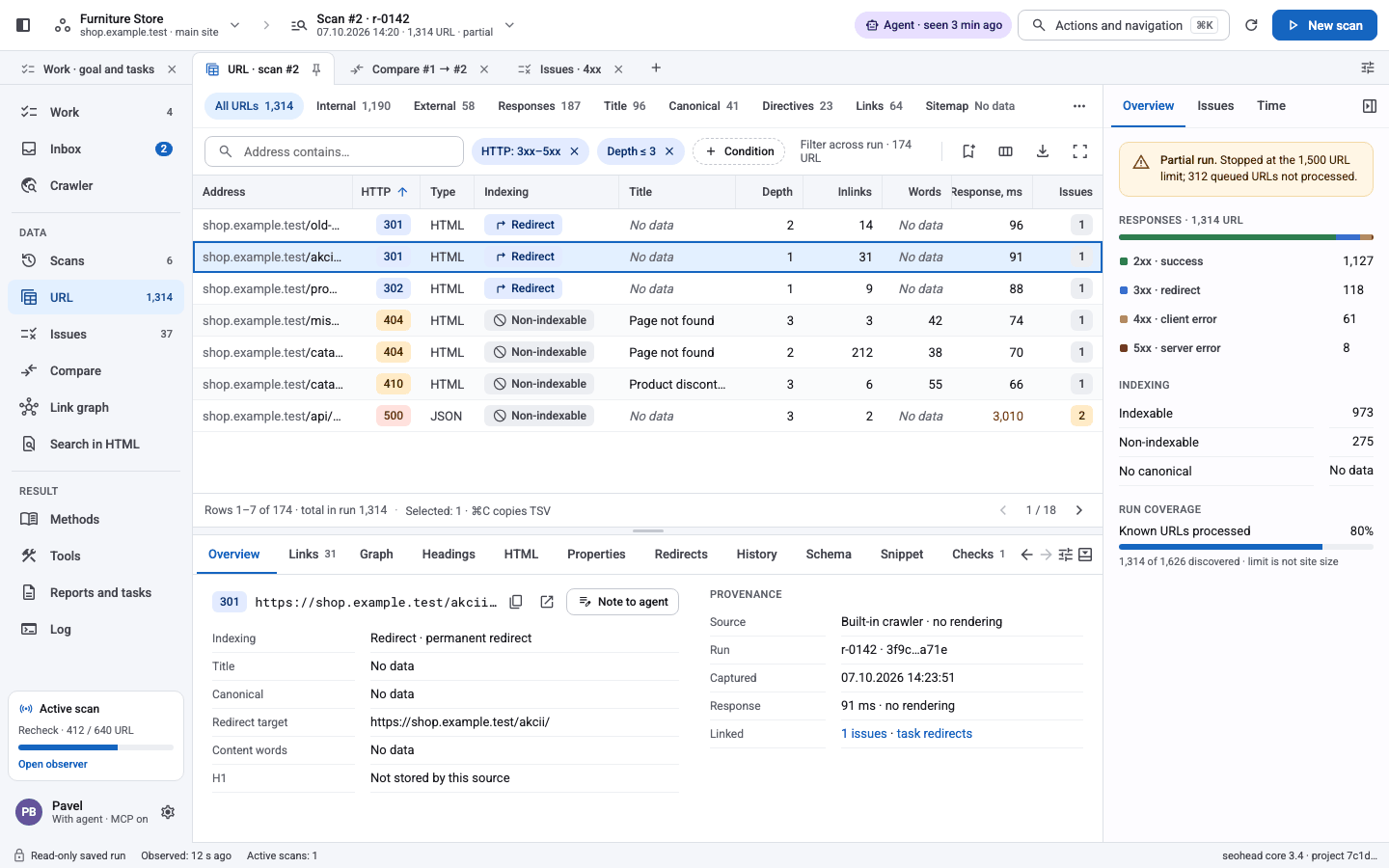
A filterable URL table with status, indexability, depth and links. Open a URL to see its headers, redirects, structured data and history.
- Filters that stackHTTP class, type, depth, custom conditions.
- ProvenanceWhich scan and which source said what.
- URL historyThe same URL across every retained scan.
Before and after, side by side
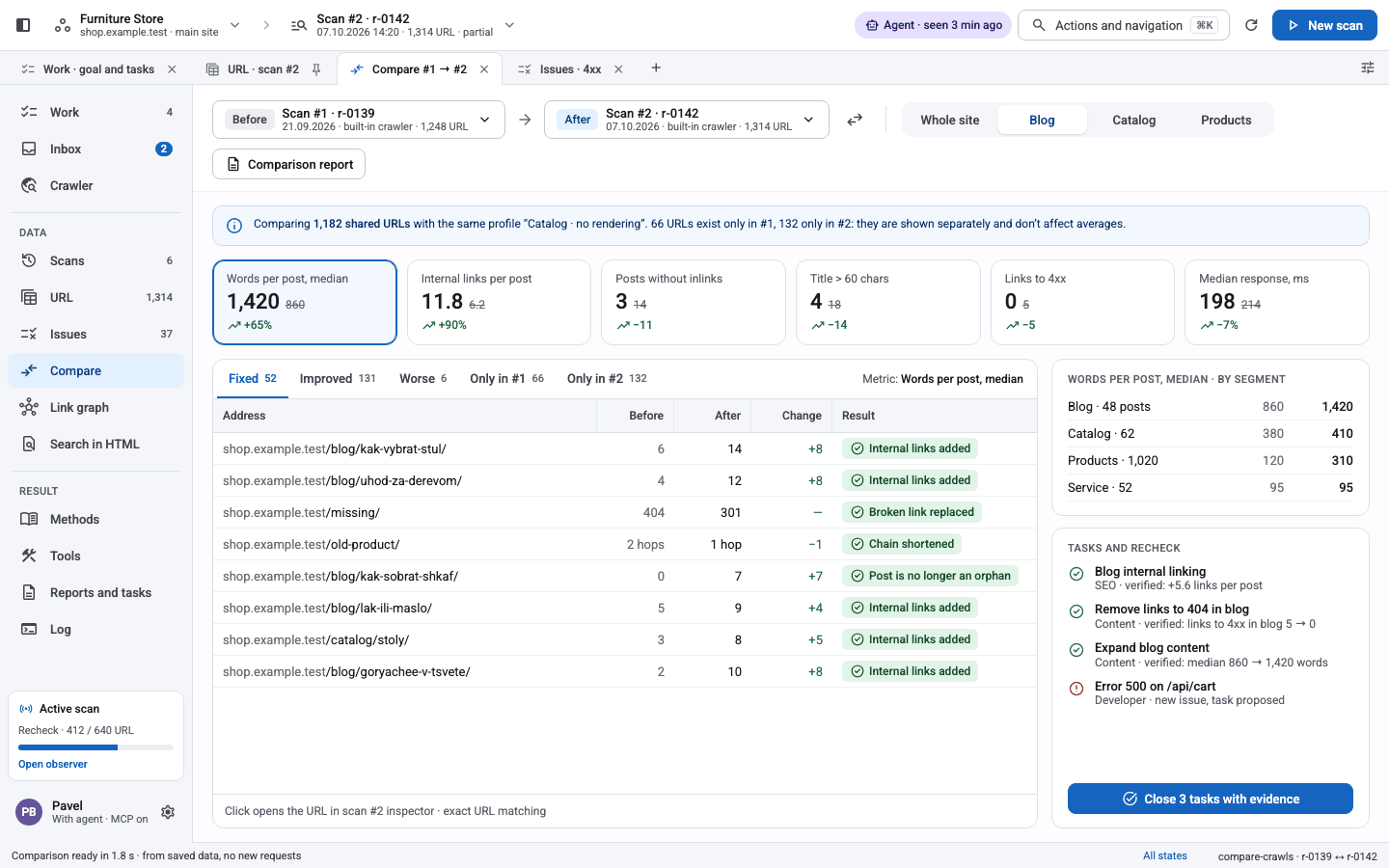
Compare two scans: what was fixed, what got worse, what is new. Tasks close themselves when the evidence says so.
- Diff by metric and segmentWords, links, status, per section of the site.
- Verify fixesBounded rechecks with a remediation ledger.
- MigrationsOld and new URL sets mapped and checked.
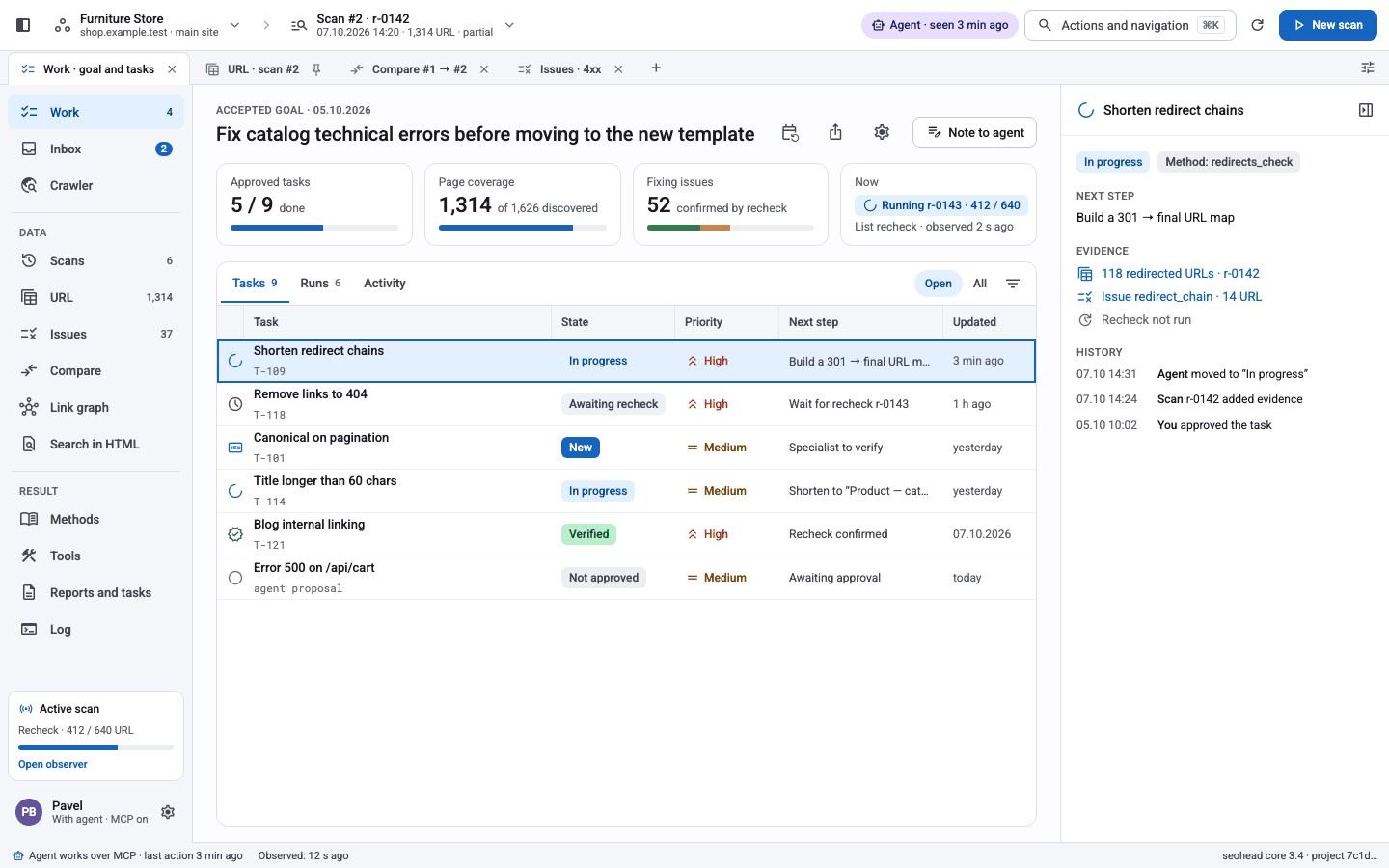
Tasks developers can act on
A project keeps the goal, approved tasks, next steps and history. People and agents work from the same list.
- Goal and progressApproved tasks, page coverage, fixes confirmed.
- Agent handoffAn agent picks up the next step with evidence.
- Full historyWho moved a task and why.
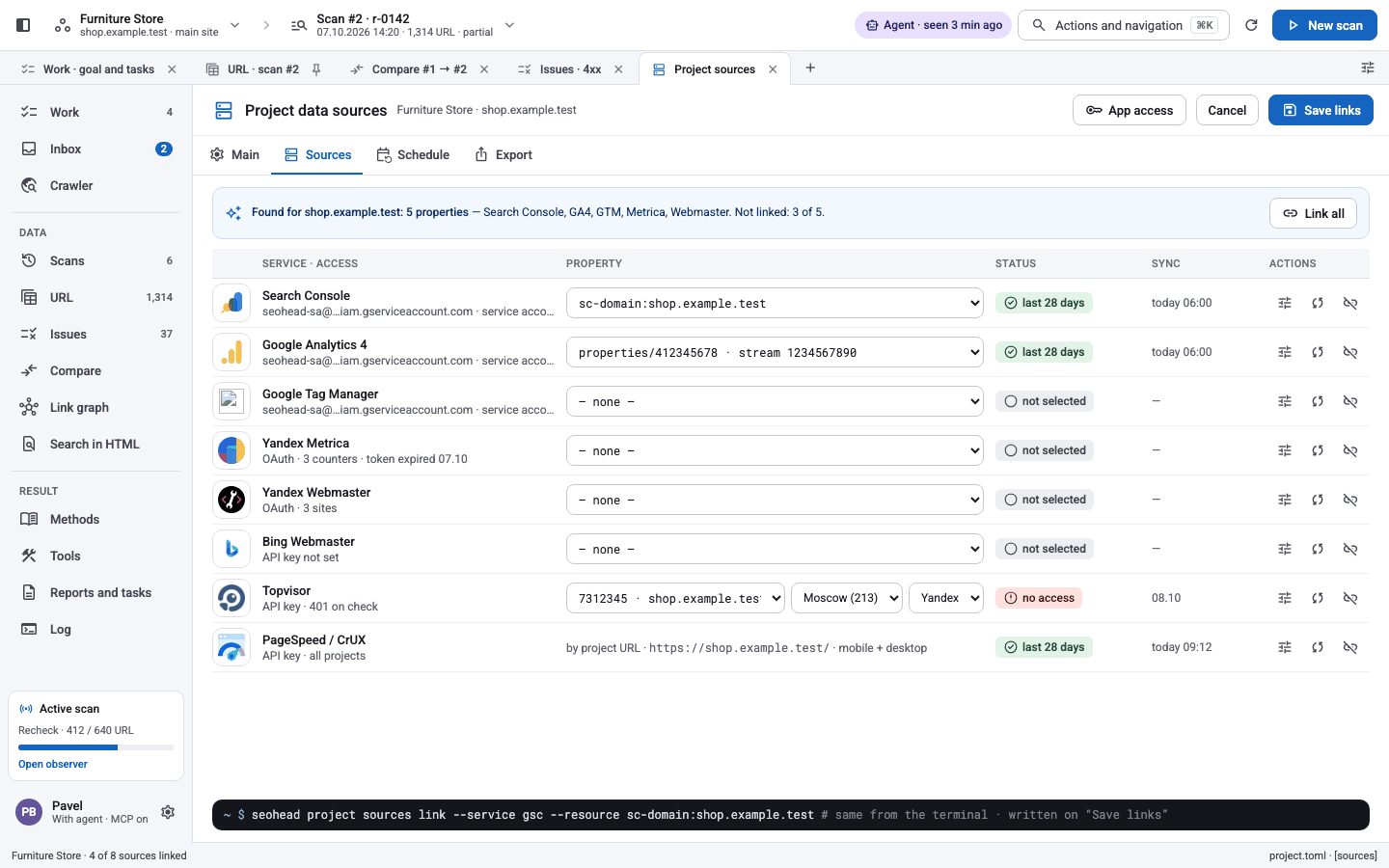
Search and analytics next to the crawl
Search Console, GA4, Yandex Metrika and Webmaster, CrUX — read-only, with local history and a spend journal for paid providers.
- Your credentialsPaid providers run only with your key and confirmation.
- Joined to URLsClicks and impressions beside each finding.
- Server logsWhat bots really crawl.
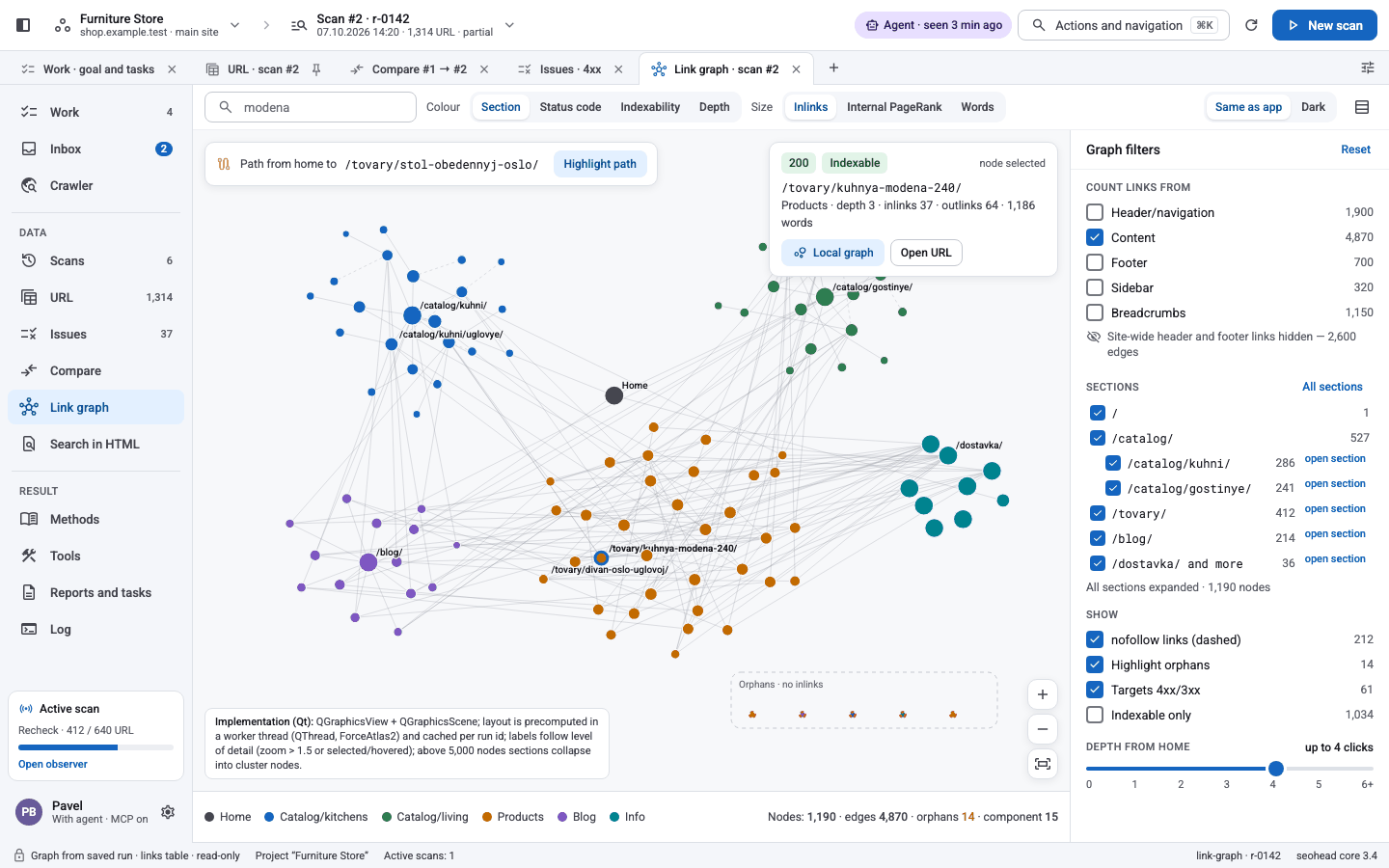
See how the site is linked
Internal links grouped by section, orphan pages and paths, from the same saved scan the audit uses.
- Sections and depthClicks from home, colour by section.
- OrphansPages no internal link reaches.
- PathsHow a crawler gets from A to B.
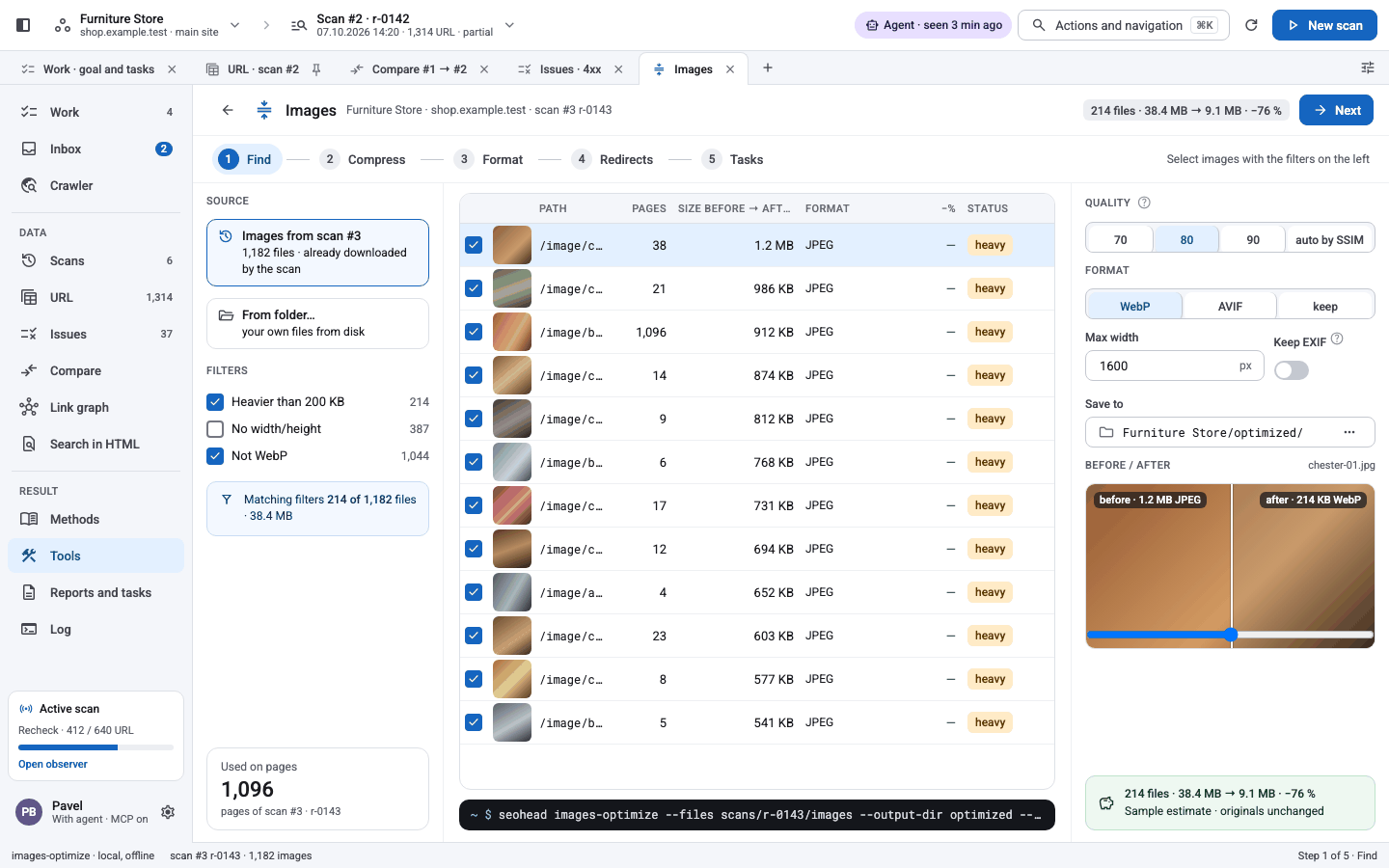
Fix, export, report
Every core tool has a ready-made form. Compress heavy images, generate 301s, then export XLSX, DOCX, CSV or PDF for people.
- Image pipelineWebP/AVIF, sizes, redirects and a task.
- Client reportsFormats existing evidence, never invents it.
- Tools catalogueSearch every tool, run it on the scan.
161 commands, one toolkit
Beyond crawl and audit: keyword research, image optimisation, domain recon, your own data providers, monitoring and BI export.
Keywords and semantic core
Collect, clean, cluster and grow a keyword pool per project.
Image optimisation
Find heavy images, compress, WebP/AVIF, 301s.
Domain recon
Stack, CDN, mirrors, subdomains, Wayback history.
Custom data providers
Bring your own CSV, XLSX or JSON as evidence next to the crawl.
Monitoring
Scheduled one-shot checks with local delivery.
BI export
Typed CSV partitions for Sheets and BigQuery.
Remediation ledger
Cases, rechecks and verification history.
See all features
161 commands · 170 MCP tools · 182 checks
Give your agent a crawler
Connect the local MCP server once. Claude — or any MCP client — gets 170 tools that crawl, audit and report with the same evidence as the app.
seo_crawl_siteCrawl from a start URLseo_site_auditRun the audit checksseo_compare_crawlsDiff two scansseo_gsc_querySearch Console dataseo_report_buildXLSX, DOCX, PDFFive fixes, by impact
- Shorten redirect chains on catalog URLs
- Fix internal links to 404 pages
- Add canonicals to paginated pages
- Shorten titles over 60 characters
- Compress images over 300 KB
Example output. Tasks are saved to the project with evidence.
Three commands to a report
Python 3.10 or newer. Clone the repository, install it into a virtual environment and run:
seohead crawl-site --url https://example.com \
    --max-urls 500 --scan-out ./scans/audit.sqlite
Free, local and polite: about two requests per second per host. The URL cap is an explicit budget.
seohead sf run --exports-dir ./sf-exports \
    --out ./report --tasks
Already have Screaming Frog exports? Analyse them offline — no licence and no request to the site.
seohead report-build --audit ./scans/audit.sqlite \
    --format xlsx --out report.xlsx
A working spreadsheet or a client document. It formats evidence and never invents findings.